





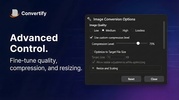
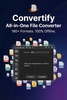

The All-in-One Offline File Converter for Windows
Tired of risky online converters, hidden fees, and file size limits? Stop settling.
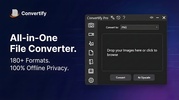
Convertify is the all-in-one offline file conversion suite designed for ultimate power, privacy, and freedom on Windows. Whether you need to convert a 3D model, a sensitive medical document, or ten thousand images, Convertify handles it securely on your PC — your files never leave your device.
Why Convertify is Different
Truly Free & Unlimited: Convert endlessly. No file size limits, no daily caps, and absolutely no watermarks.
100% Offline Privacy: Zero uploads, zero tracking, and no accounts needed. Your sensitive documents, CAD drawings, and personal photos stay safe on your machine.
Right-Click to Convert: Convert files instantly from File Explorer's context menu — no need to even open the app.
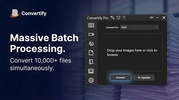
Blazing-Fast Batch Power: Convert 10,000+ files simultaneously with industrial-strength stability, optimized with GPU Hardware Acceleration.
HDR Imaging: Handle professional HDR/EXR workflows with advanced tonemapping and full pipeline support.
Universal Format Mastery
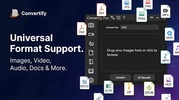
If you have it, we can probably convert it. Effortlessly drag and drop to achieve professional results instantly.
Advanced Documents: Beyond standard PDF/DOCX. Support for Macro-enabled Office files (DOCM, XLSM), CAD drawings (DXF to PDF), GIS data (GeoJSON, KML), and Medical formats (HL7, FHIR).
3D Models: Convert OBJ, FBX, GLTF, STL, 3DS, and more with advanced mesh processing and texture embedding.
Fonts & Subtitles: Web-optimize your fonts (TTF, WOFF, WOFF2) and master your video captions (SRT, VTT, ASS) with timing adjustments.
Images: Convert JPG, PNG, HEIC, WEBP, RAW, PSD, SVG, and utilize full HDR pipeline support.
Videos & Audio: Convert MP4, MKV, MOV, AVI to any resolution. Includes silence trimming for audio and GPU-accelerated video encoding.
eBooks & Archives: Optimize EPUB, MOBI, and PDF for e-readers. Handle ZIP, RAR, 7Z, and more.
Extras
Over 230 supported formats. Available in 70+ languages with colorful themes. Constantly updating with new features and improvements.
AI-Powered Enhancements
Go beyond simple conversion. Convertify includes a full suite of AI tools that run entirely on your PC — no cloud required.
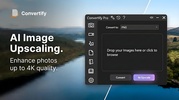
AI Image Upscaling: Upscale low-resolution images up to 4x with deep learning. Perfect for enlarging old photos, product images, or low-res downloads to crisp 4K quality.
AI Background Removal: Instantly remove backgrounds from any image with one click. Ideal for product photos, profile pictures, and creative projects.
AI Text Extraction (OCR): Extract text from images, screenshots, and scanned documents with advanced OCR.
AI Video Upscaling: Upscale videos to 2x or 4x their original resolution. Breathe new life into old footage, SD recordings, and low-quality clips.
AI Frame Interpolation: Double your video framerate for buttery-smooth playback. Transform choppy 30fps footage into fluid 60fps.
AI Stem Splitting: Separate vocals, drums, bass, and other instruments from any audio track. Perfect for remixing, karaoke, sampling, and music production.


 3 reviews























Comments
There are no opinions about Convertify: All in One File Converter yet. Be the first! Comment